Why Discord Beats Telegram for AI Assistants
Why Discord Beats Telegram for AI Assistants
I started with Telegram. It’s simple, fast, and works great for chatting with an AI assistant on your phone. But after watching Kitze explain his setup on Greg Isenberg’s Startup Ideas Podcast, I moved my primary AI workflow to Discord.
The difference is night and day.
Fun fact: My AI assistant (Cluka, running on OpenClaw) has admin rights on my Discord server. She actually created and configured all the channels herself based on what we needed. I described the workflow I wanted, and she set up the structure, permissions, and categories. The AI managing its own workspace — that’s the kind of meta that makes this setup fun.
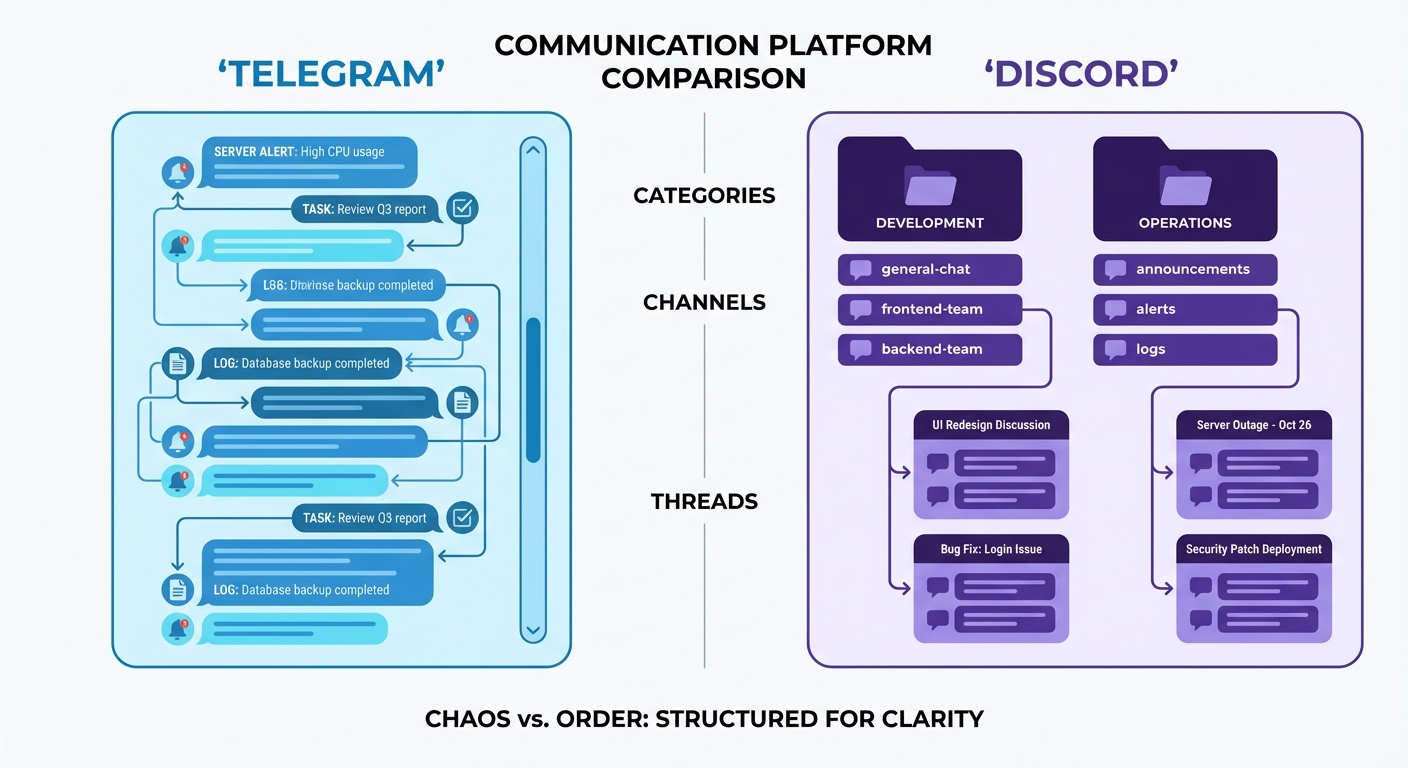
The Problem with Telegram
Telegram is a single chat thread. Everything goes into one place: alerts, logs, task discussions, research, random questions. Scroll up a few hours and you’re lost. Context fragments across messages. Good luck finding that thing you discussed last Tuesday.
It works fine for quick pings and reminders. But for real work? It’s like having one giant folder for all your files.
Discord’s Secret: Channels as Functions
Discord lets you create channels for different purposes. Not just different topics — different functions. Here’s how I structure mine:
Alerts — Automated notifications land here. Market movements, competitor news, calendar reminders. I can mute it when I need focus, catch up when I want to.
Logs — Everything my AI does gets logged. Cron jobs, background tasks, errors. I never look at this unless something breaks. But when it does, the history is right there.
Tasks — Active work. When I’m iterating on something with my assistant, it happens here. Threads keep related discussion together without polluting the main channel.
Development — Skill development, code work, technical discussions. Separate from daily operations.
General — The catch-all. Quick questions, casual chat, anything that doesn’t fit elsewhere.
Each channel has a purpose. When I need something, I know where to look.
Threads Change Everything
Telegram has threads, but they’re not the same. Discord’s magic is the combination of channels and threads — dedicated spaces for different functions, with threads branching off for deeper work. You can even spawn sub-agents into threads to handle tasks autonomously.
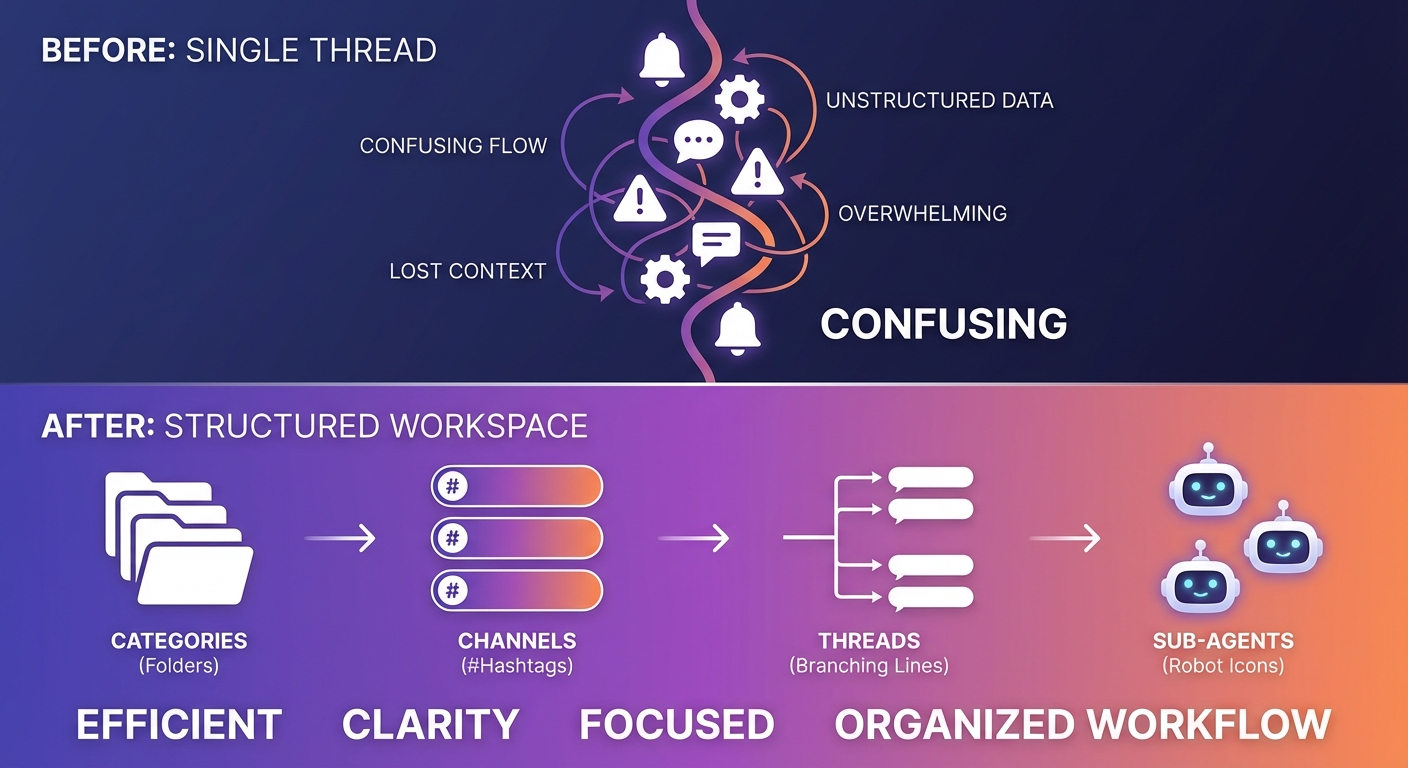
When I ask my AI assistant to research something, it spawns a thread. All the intermediate work — searches, notes, dead ends — stays in that thread. The main channel just gets the summary.
I can:
- Follow along in real-time if I want to
- Ignore it completely and check results later
- Archive threads automatically after a few days of inactivity
Compare that to Telegram where a research task dumps 15 messages into your main chat, pushing everything else up.
Categories Keep Things Organized
Discord lets you group channels into categories. I have:
- Operations — Daily stuff, alerts, logs
- Development — Coding, skills, technical work
- Projects — Dedicated channels for specific initiatives
Collapsed categories mean I only see what’s relevant. Open up Development when I’m coding. Collapse it when I’m not.
Advanced: Different Brains for Different Channels
Here’s where it gets powerful: Discord channels don’t just organize your conversations — they can run entirely different AI personas.
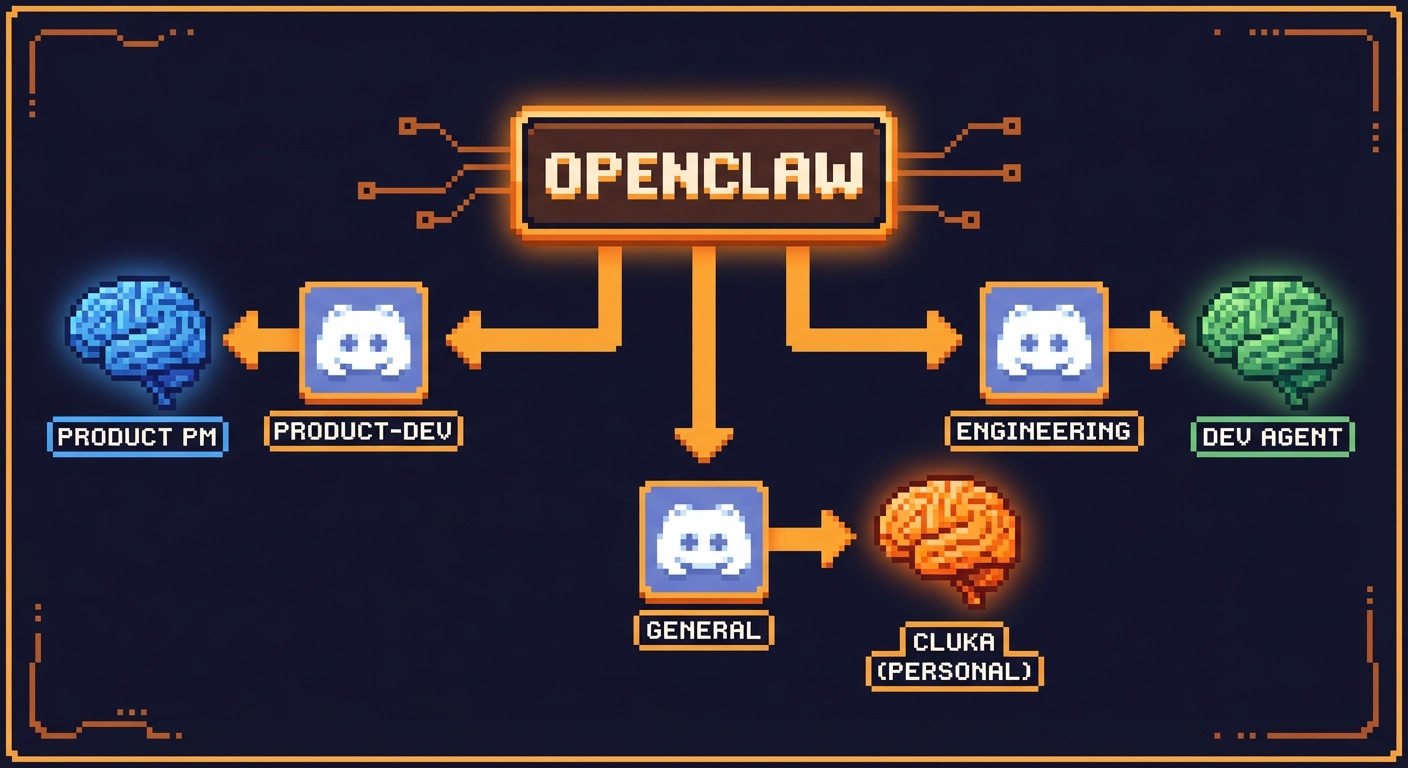
My #anima-product channel has a product-focused agent that thinks like a PM. My #devark-dev channel has a technical builder persona that thinks in code. My #general channel has Cluka — my personal assistant who knows my calendar, preferences, and ongoing projects.
Same OpenClaw instance. Same Discord bot. Different brains per channel.
Each agent has:
- Its own personality file — Different tone, expertise, and focus areas
- Its own memory — Conversations in #anima-product don’t leak into #devark-dev
- Its own model — I run cheaper/faster models on specialized work channels, save the expensive model for my personal assistant
The config is simple — you define agents with different workspaces, then bind Discord channels to specific agents:
1 | |
This is how you scale from “one AI assistant” to “a team of specialized AI agents” — without running multiple servers or paying for multiple subscriptions.
Channel Personas: Making SOUL.md Visible
Once you have different agents on different channels, there’s a natural next question: how do people (or you, two weeks from now) know what each channel’s agent does?
Discord gives you two built-in tools for this.
Channel Topics as Name Tags
Every Discord channel has a topic field — that short description visible at the top of the channel. Use it as a condensed version of the agent’s personality.
For example, my #anima-product channel topic reads:
🎯 Anima PM Agent — Product thinking for animaapp.com. Tracks competitors, drafts specs, thinks in user stories. Sonnet-powered.
One glance and you know what this channel is for, what persona lives here, and even what model it runs. No need to scroll through history to figure out the vibe.
Pinned Messages as the Full SOUL.md
Channel topics have a character limit. For the full personality — the agent’s complete SOUL.md — pin it as a message.
I have my agents pin their own SOUL.md in their home channel. Click the pin icon, and you get the complete picture: personality, expertise, boundaries, communication style. It’s like an employee profile card that’s always one click away.
The nice part? Your AI can manage this itself. When I update an agent’s personality, it updates the pinned message automatically on its next heartbeat check. The channel description and pinned SOUL.md stay in sync without me touching Discord.
Why This Matters
Without visible personas, multi-agent setups feel like talking to the same bot in different rooms. With them, each channel has identity. You remember which channel to go to because the agent there has a distinct presence — not just a different name, but a visible role and personality.
It’s a small thing. But small things compound. Six months of working with labeled, self-documenting agent channels versus six months of “wait, which bot does what again?” — the difference is real.
How to Set This Up
If you’re running OpenClaw, basic setup takes two steps:
- Create a free Discord server — Just for you and your AI
- Invite your OpenClaw bot and let it do the rest — It’ll set up channels, categories, and permissions based on your workflow
That’s it. Your AI assistant configures its own workspace.
Want multiple personas? Add agent definitions to your config, create workspaces with different personality files, and bind channels to agents. The OpenClaw docs walk you through it.
The Insight
Kitze nailed it in that interview: treat your AI assistant like an operating system, not a chatbot. Operating systems have structure — folders, windows, notifications. Discord gives you that structure. Telegram doesn’t.
I still use Telegram for quick things. But my AI’s “home base” is Discord now. The difference in productivity is significant.
Inspired by Kitze’s setup as discussed on Greg Isenberg’s Startup Ideas Podcast. Try the Discord approach for a week. You probably won’t go back.