How my LLM Wiki became my second brain agent workspace

I keep an LLM Wiki in Obsidian because it gives my second brain two things at the same time: human-owned thinking and agent-speed maintenance.

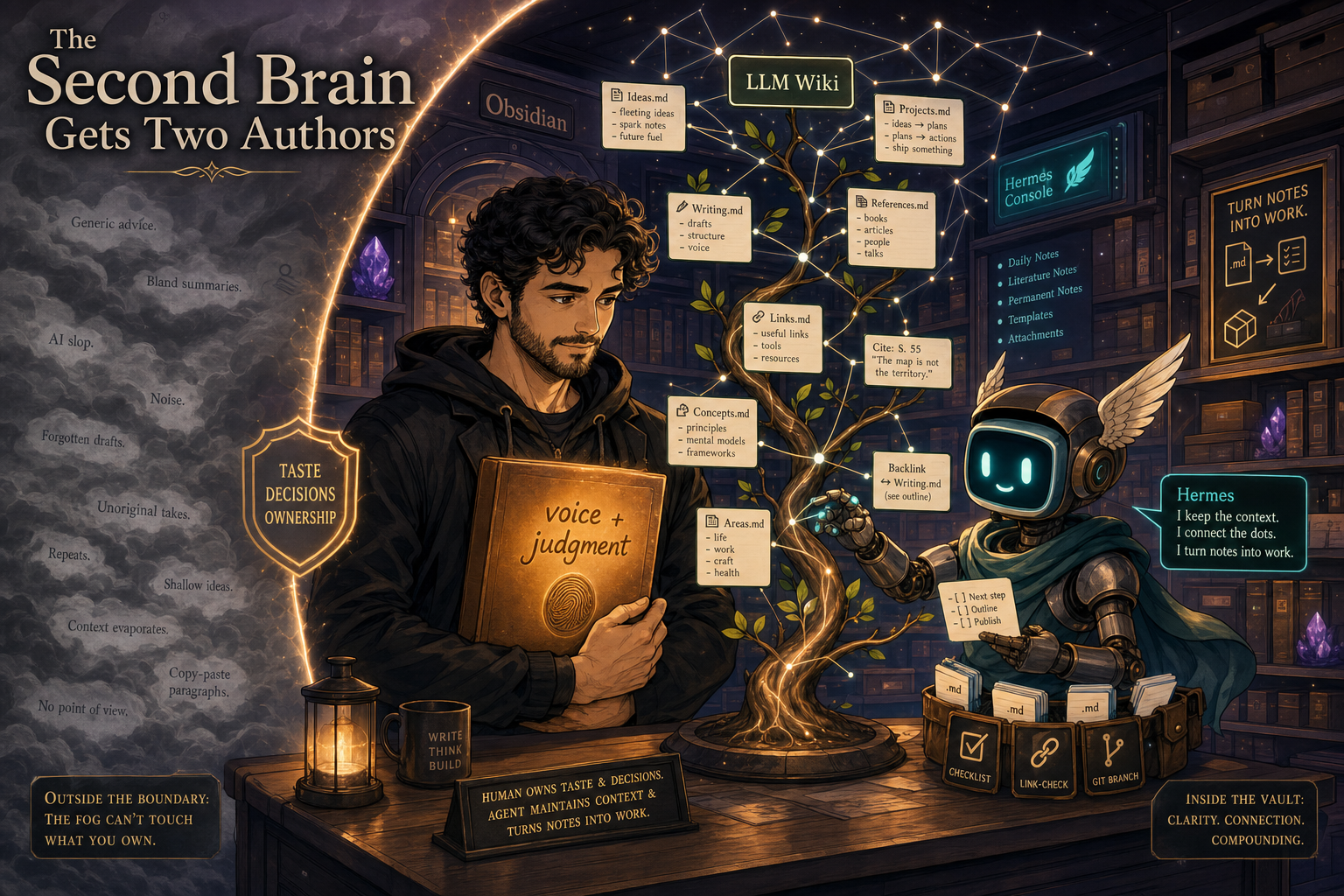
Kevin Simback’s post on a modified Karpathy second brain method put words on the part I care about most: compound intelligence needs a system that preserves your own thinking while still letting agents add, update, and synthesize material around it. If the agent writes everything, the wiki drifts toward generic AI prose. If I write everything by hand, it decays because I cannot keep up. The useful shape is a second brain with two authors.

In my setup, the human layer is the protected layer: my brain dumps, product judgment, notes to self, decisions, taste, weird phrasing, and operator context. The agent layer is the working layer: Hermes can ingest sources, organize backlogs, draft posts, move tasks, check links, and update the surrounding wiki. Obsidian makes both layers visible as markdown and links.

That distinction is what makes the LLM Wiki valuable. It is not just a place to store notes. It is a substrate where thinking can accumulate, where agents can operate, and where the output of one session becomes better context for the next.

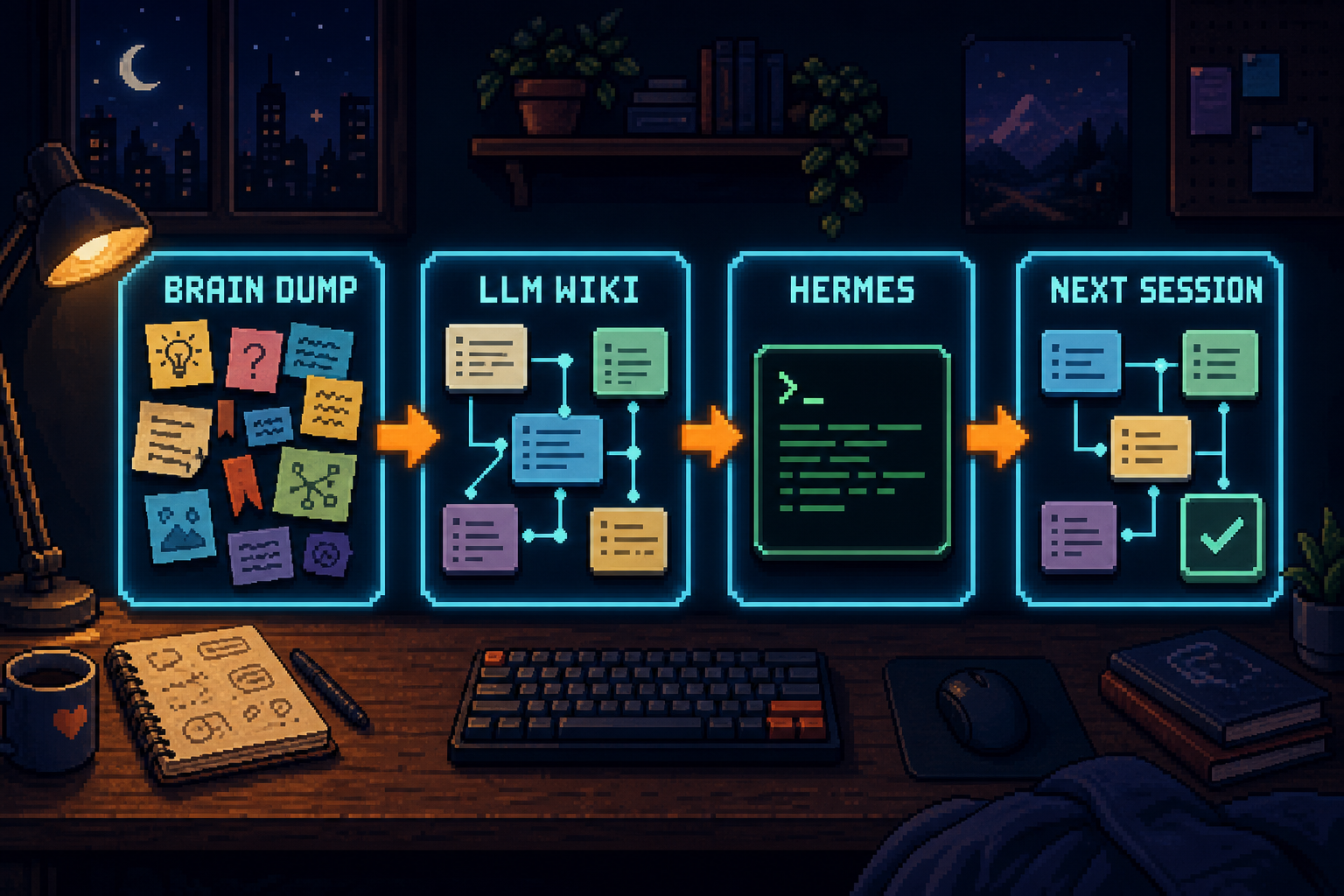
It has brain dumps, product notes, blog ideas, research, experiments, daily planning, bookmarks, future roadmaps, ideas captures, backlog pages, Kanban boards, and project context. The brain dump is often where the work really starts: rough thoughts, half-formed ideas, questions, links, and things I want to come back to. Every time Hermes reads it, organizes it, updates it, and turns part of it into a shipped artifact, the wiki becomes more useful for the next session.

That compounding loop is the whole story for me. The wiki grows because I work in it. It gets better because Hermes uses it. Then Hermes gets better because the wiki has more structure, more decisions, more examples, and more links.

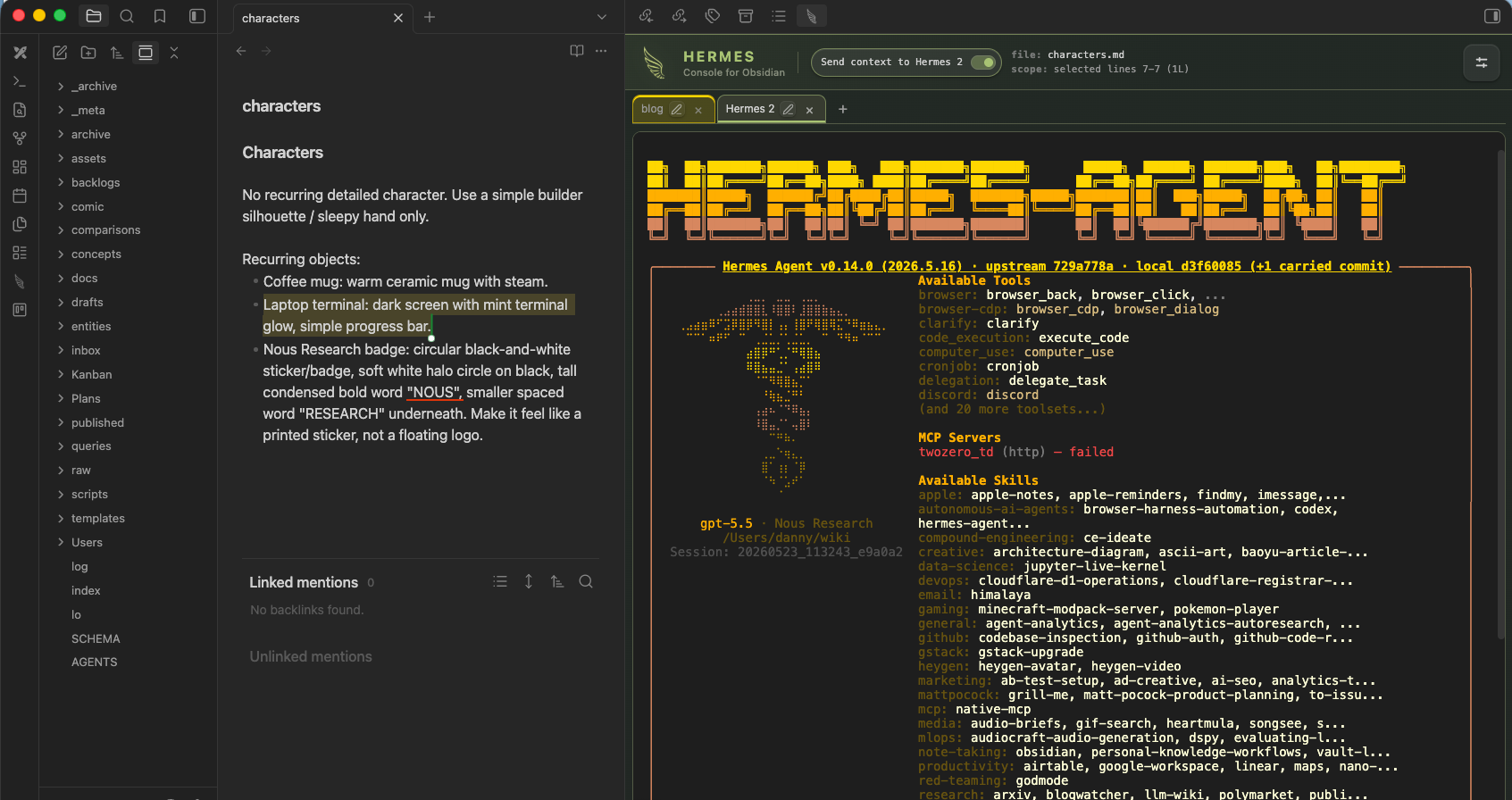
Hermes Console came from that loop. I wanted the place where I think, write, and organize to also be the place where I ask Hermes to act.
I saw this setup when watching Greg Isenberg’s Hermes conversation with Imran Muthuvappa, especially the part where Imran talked about Obsidian working well with Hermes because it is all markdown and the agent can organize it. The LLM Wiki idea itself comes from Andrej Karpathy’s LLM Wiki pattern: compile knowledge into interlinked markdown so future work starts from accumulated context.

This post is about the second-brain workflow first: using Obsidian as visible working memory, using an LLM Wiki as the markdown structure that compounds, using Hermes as the agent that can operate on that memory, and keeping human-owned judgment distinct from agent-maintained research.

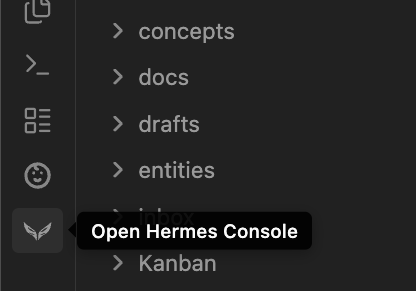
Hermes Console is the productivity layer I built on top of that. It brings Hermes into Obsidian with terminal tabs, selected-note context, and background status, so the wiki becomes the workspace itself.

The second brain gets two authors

How it works

A wiki-backed agent gives your work memory.

Brain dump to agent memory

The second brain has three jobs:

Job What Obsidian / LLM Wiki gives me What Hermes adds
Preserve my thinking Brain dumps, decisions, voice, taste, and project context stay in markdown where I can see and edit them. Hermes reads this layer as source of truth and uses it to keep work sounding like me.
Keep the world current Research notes, links, transcripts, entities, concepts, and synthesis pages stay connected. Hermes can ingest, organize, update, cite, and lint the surrounding wiki.
Turn context into artifacts Backlogs, Kanban boards, drafts, and source notes live next to each other. Hermes turns selected context into posts, issues, plans, code changes, and wiki updates.

A thought can start messy, become a note, connect to a project, turn into a draft or issue, and stay available for the next session. The value is the compounding: every finished artifact leaves better context behind.

The loop is simple: capture the raw thought, let Hermes read the surrounding context, turn the selected note into an artifact, and write the result back into the wiki.

The LLM Wiki compounding loop

Obsidian and Hermes workflow loop

Obsidian makes the graph visible. Hermes can follow the structure. Over time, the wiki starts to show the real shape of your work.

Why the two-author split matters

A second brain should compound your thinking, not flatten it.

This is where Kevin’s framing is useful. The wiki needs to know which parts are human-owned and which parts are agent-maintained. For me, this does not need to be fancy. It can be file placement, frontmatter, naming conventions, or simply a rule in the wiki instructions. The important part is that Hermes treats my judgment and voice differently from research material it is allowed to refresh.

Human-owned pages are the conviction layer. They include things like:

  • brain dumps
  • product opinions
  • strategy notes
  • writing voice
  • decisions and why they were made
  • project context that should not be casually rewritten

Agent-maintained pages are the coverage layer. They include things like:

  • source summaries
  • entity pages
  • concept pages
  • citations
  • link maps
  • drafts that are clearly still drafts

The magic is in the handoff. Hermes can bring in more material than I would manually collect. I can promote the useful parts into my own thinking. Then future Hermes sessions use that promoted material as stronger context.

That is compound intelligence in a practical form: broader agent-maintained coverage plus deeper human-owned interpretation.

Why the wiki needs two authors

The setup

My current workflow has three pieces:

  1. Obsidian is where the working notes live.
  2. The LLM Wiki is the markdown structure inside the vault: backlog pages, query notes, raw sources, entity pages, project context, and links between them.
  3. Hermes is the agent that reads and updates the wiki, drafts posts, moves tasks, runs commands, and keeps context across sessions.

Before Hermes Console, this already worked. I could run Hermes in a terminal from the Obsidian and ask it to inspect a file, update backlogs, or draft from context.

The improvement I wanted was immediacy. When I am reading a note in Obsidian and a paragraph becomes the next action, I want to select it and ask Hermes to continue from there.

For example:

1
Turn this into a tighter blog intro.

or:

1
Move this personal-blog idea into drafting and create the Hexo post.

or:

1
Challenge this plan. What is fuzzy?

That is the workflow I kept reaching for: note -> agent task -> artifact -> wiki update.

What Hermes Console adds

Hermes Console runs Hermes inside Obsidian with terminal tabs and selected-note context.

The public plugin description is simple: “Run Hermes Agent in a tabbed terminal with selected-note context and background status alerts.” That is accurate.

The part that matters most to me is selected-note context.

Highlight text in an Obsidian note, type a prompt in Hermes Console, press Enter, and Hermes can receive that selection as context. If there is no selection, cursor context can still tell Hermes where I am in the current note.

The prompt becomes natural because the current note carries the object I am pointing at. This is much closer to how Codex or Cursor feel inside code: the workspace gives the agent the thing in focus.

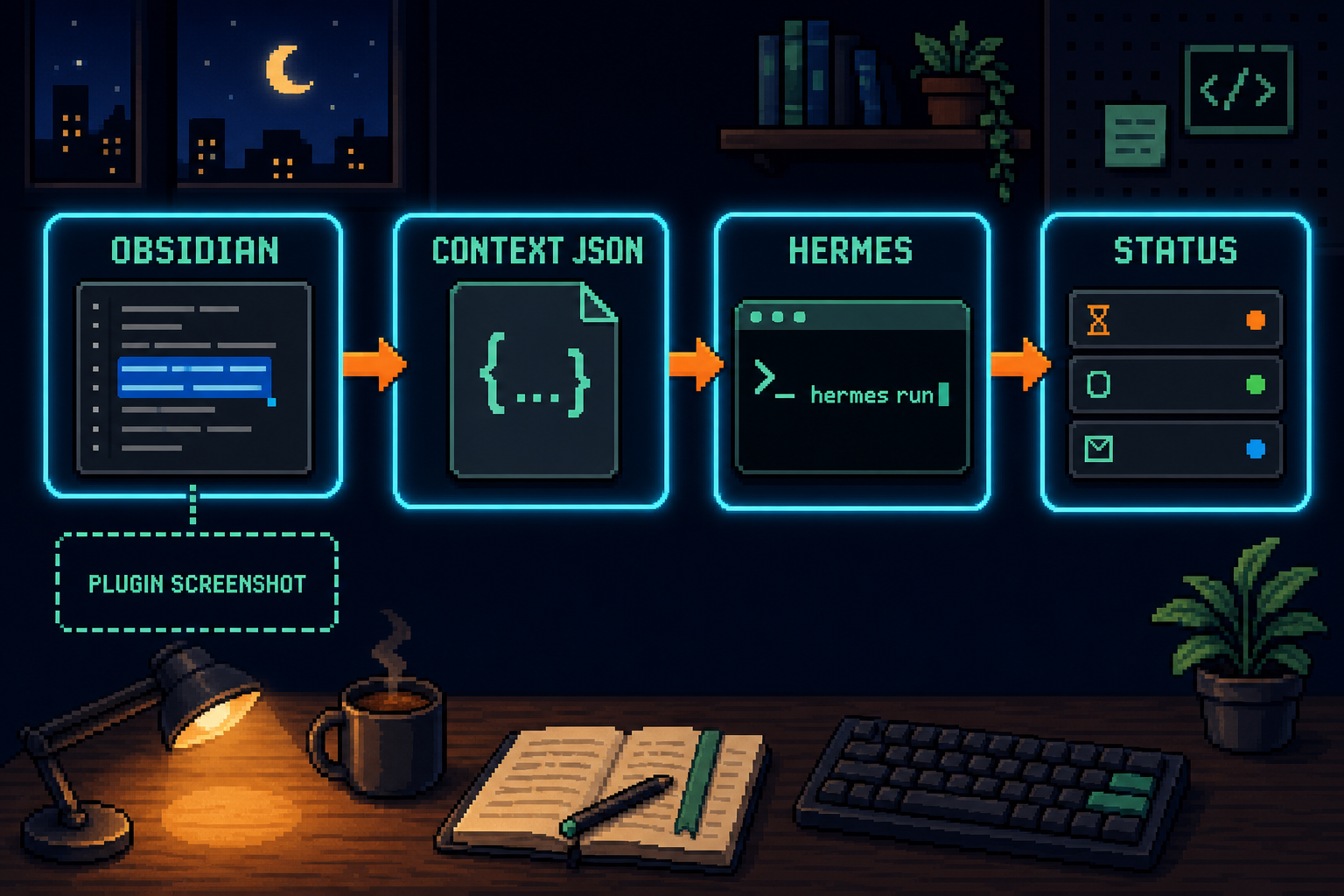
Hermes Console plugin flow

Hermes Console inside Obsidian

The plugin layer

Hermes Console is the small bridge that makes this loop feel native inside Obsidian.

Piece What it does
Obsidian plugin: Hermes Console Owns the terminal UI, tabs, PTY sessions, note-context capture, settings, and busy/idle indicators.
Bridge file: .obsidian/hermes/context.json Local JSON handoff written inside the active vault.
Hermes plugin: obsidian-context-bridge Reads the bridge file, injects fresh note context into the Hermes turn, exposes obsidian_context() for larger selections, and writes busy/idle tab status.

I like this shape because each side owns the thing it understands.

Obsidian owns the editor state. Hermes owns the agent turn. A local JSON bridge connects them. Community Plugins installs the Obsidian plugin. If you want selected-note context to reach Hermes, you also install the Hermes-side bridge once:

1
hermes plugins install dannyshmueli/obsidian-hermes-console --enable

Then Hermes Console can launch Hermes from inside the vault and pass the right bridge path through the terminal environment.

Why this changed my LLM Wiki workflow

The biggest change is that the note itself becomes actionable.

My LLM Wiki has backlog notes like backlogs/personal-blog.md, Kanban boards like Kanban/Personal Blog.md, durable query notes, raw transcript captures, and source-linked concepts. Hermes already knows how to orient itself in that structure: read the schema, read the index, inspect the relevant backlog, update the log, and verify the result.

With Hermes Console, I can sit inside the actual note and ask Hermes to work on the selected item.

For this post, the chain is exactly that:

  1. The idea lived in my personal-blog backlog inside the LLM Wiki.
  2. The Kanban board had it sitting under Ideas.
  3. I selected the relevant note context in Obsidian and asked Hermes to move it into drafting.
  4. Hermes read the wiki, updated the Kanban/backlog, and created this Hexo draft in my personal blog repo.

The wiki is where the idea lived, where the work started, and where the result feeds back.

The small UX details matter

A good agent workspace needs small product details that make repeated use feel calm:

  • terminal tabs, because I often have more than one Hermes session
  • readable tab names and colors, because “which agent is this?” becomes real cognitive load
  • Shift+Enter for newline, because Hermes prompts are often multi-line
  • large scrollback, because agent sessions produce long tool output
  • selected-text capture at submit time, so the terminal input stays clean
  • busy/idle indicators per tab, because background agent work should stay visible
  • unread dots or notices when a background Hermes turn finishes

Together, these details make the wiki feel like a place where I can keep moving.

That is the lesson I keep relearning with agent products: capability becomes valuable when it fits the workflow.

What I would copy from this pattern

If you are building an AI-agent interface around a human workspace, I would copy three things from this design.

First, keep the human’s pointing action native. In Obsidian, that means selected text and cursor position. In a code editor, it might be the current file, diff, symbol, or test failure. In an analytics tool, it might be the current chart or cohort. The UI already knows what the user is pointing at, and the agent should receive that context.

Second, use an explicit bridge with clear semantics. Hermes Console writes JSON. The Hermes plugin reads JSON. There is a fresh/stale boundary. There is a detach state. The handoff is understandable and debuggable.

Third, show enough state that the user trusts the handoff. If context is on, say so. If Hermes is busy, show it. If the background turn finished, mark it. The surrounding product should make the agent feel grounded.

The real takeaway

Hermes Console matters to me because it makes my LLM Wiki easier to grow.

The wiki gives Hermes durable context. Hermes turns that context into work. Obsidian keeps the structure visible. The second-brain rule keeps my own thinking protected while the agent keeps the surrounding knowledge alive.

The graph becomes more useful as the work compounds.

That is the essence: a personal knowledge base that improves through use, with an agent sitting inside it.

Install page: Hermes Console on Obsidian Community Plugins

Repo: github.com/dannyshmueli/obsidian-hermes-console


How my LLM Wiki became my second brain agent workspace
https://dannyshmueli.com/2026/05/18/Hermes-Console-turns-Obsidian-into-my-agent-workspace/
Author
Danny Shmueli
Posted on
May 18, 2026
Licensed under